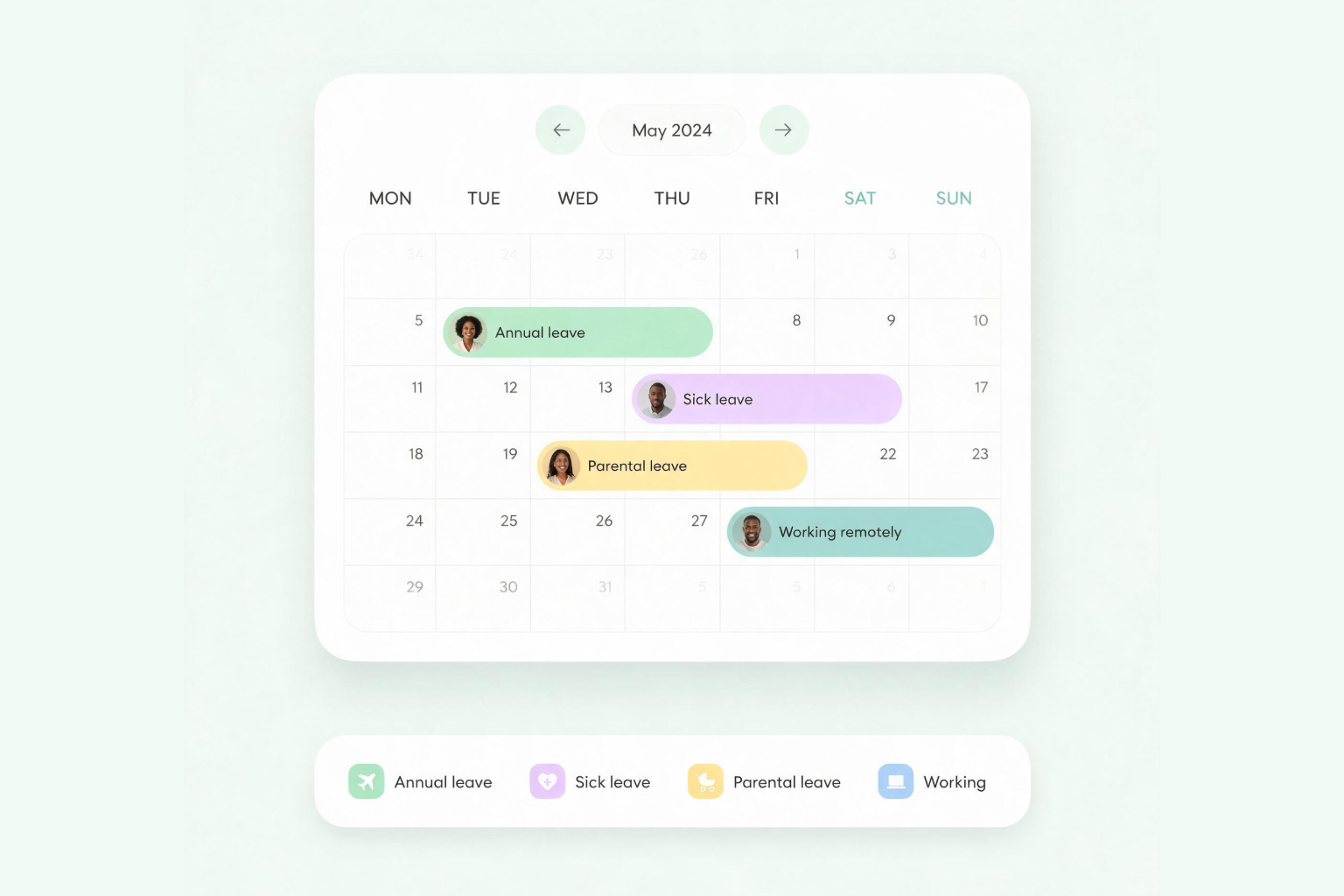










Give HR better control over leave administration and managers the visibility to plan around absences, so work keeps moving even when employees are away.
Trusted by teams across Africa








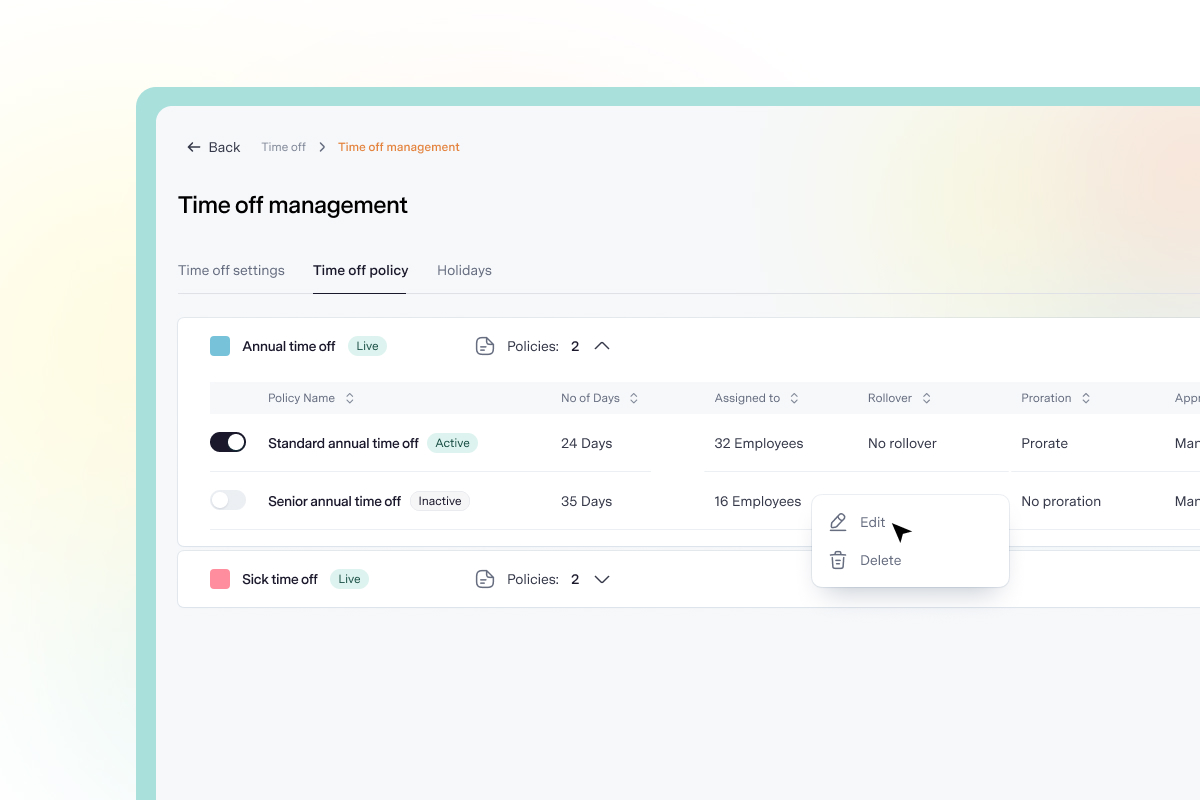
Set leave policies
Define leave types, allowances, eligibility rules, accruals, rollover limits and approval workflows in one place. Apply policies to different employee groups, so leave entitlements are managed consistently.
Manage requests
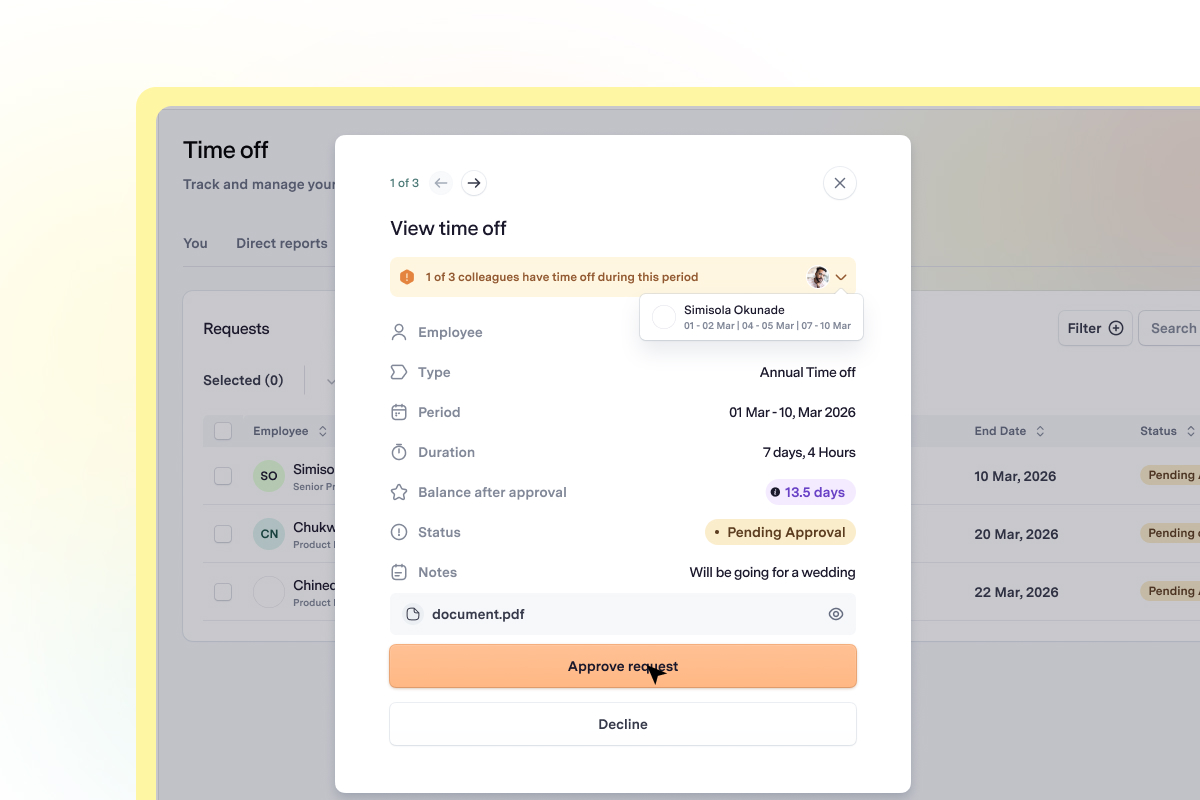
Give employees a simple way to check their leave balances, submit requests and track approvals. Managers can review, approve or decline requests in a few clicks, while employees receive updates and their leave balances are adjusted automatically.
Stay informed
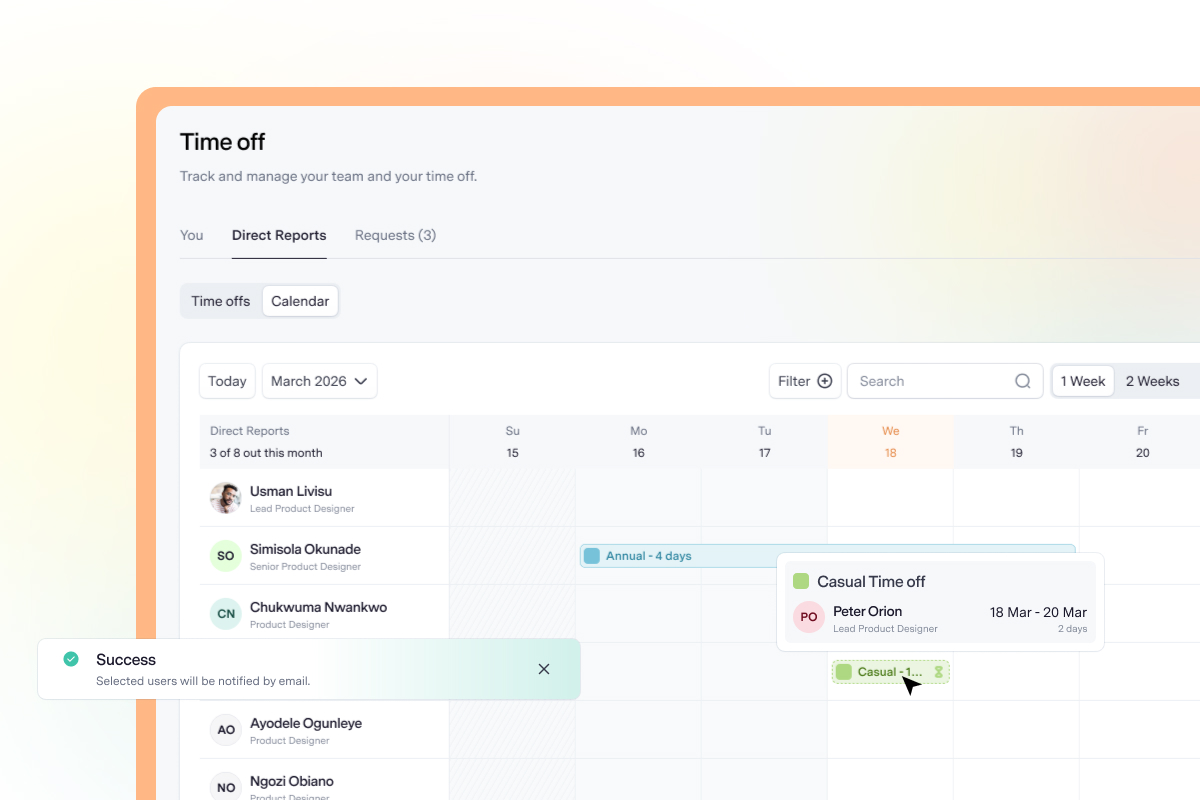
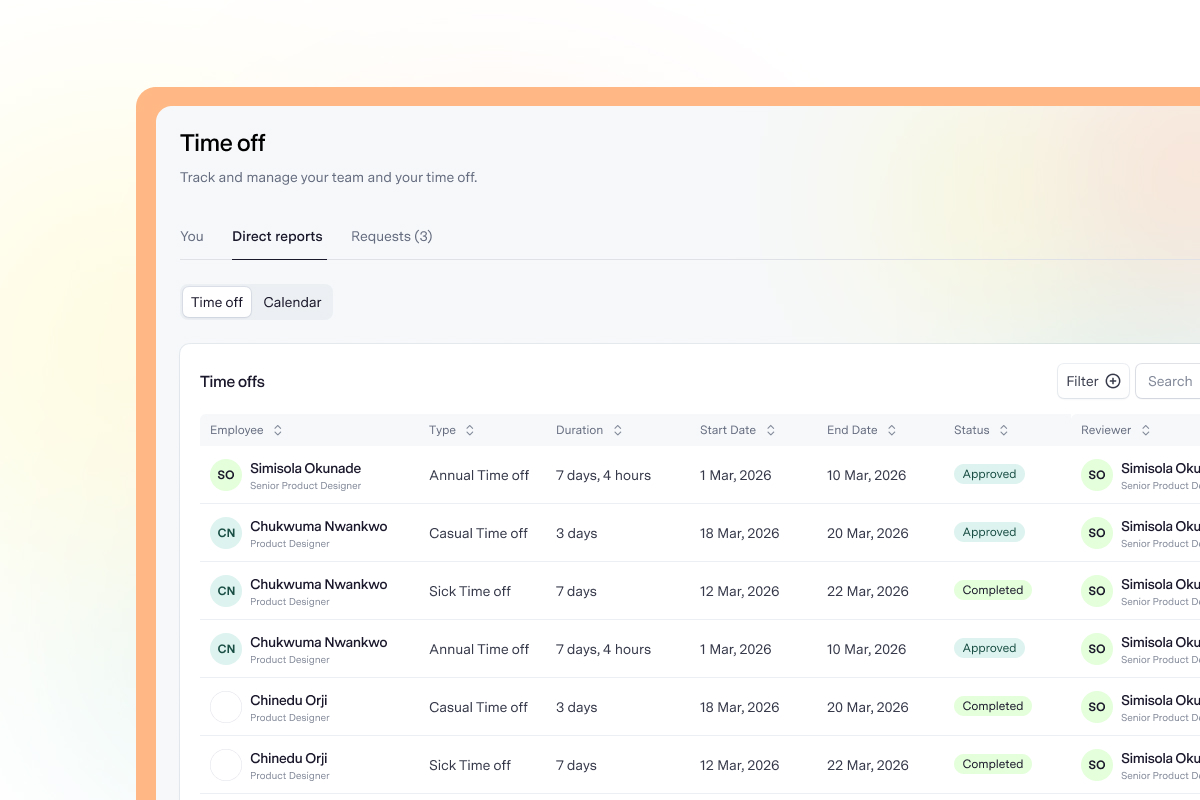
Know who is away and when. See upcoming absences, identify overlapping leave requests and understand how time off may affect team coverage.
Records and compliance
Maintain accurate records, apply established policies consistently and keep the information you need to support compliance with relevant labour requirements.
Features
Create different leave types and policies, with tailored allowances, accruals, rollover rules and approval workflows to suit your organisation.
Assign leave policies based on department, employee level, country or specific employees.
Employees can request full or half days, check their balances, save drafts and track the status of their requests.
Configure single or multi-level approvals, giving managers and HR teams a structured way to review and manage requests.
Keep employee balances up to date as leave is approved, cancelled or renewed, with visibility for employees and HR.
View approved leave and upcoming absences across teams, making it easier to identify overlaps and plan ahead.
Allow managers to submit time-off requests for their direct reports when necessary.
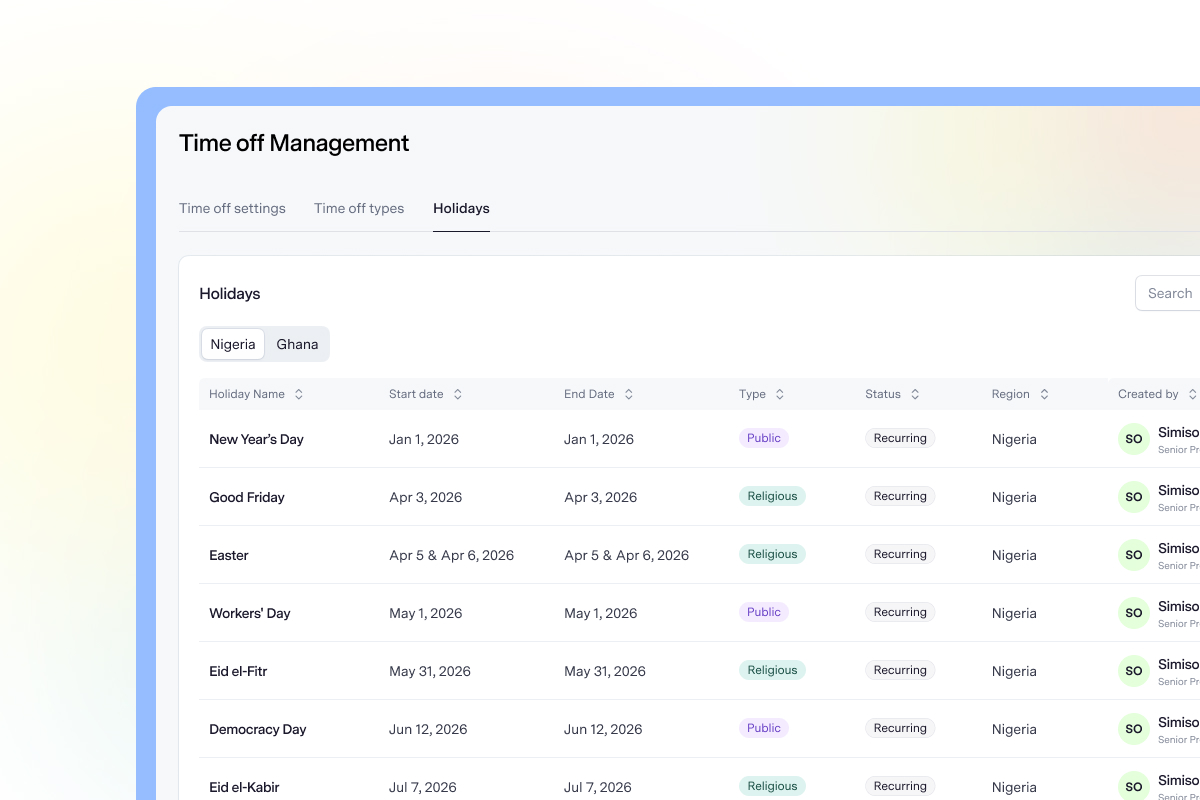
Add or import public holidays and automatically exclude non-working days from leave calculations.
Resources
The TALSTACK platform
One accurate record for every employee, with onboarding, documents and access in one place.
Learn more
Run 360° review cycles with your own templates and automated reminders.
Learn more
Run anonymous surveys, see where your team stands and act on the results.
Learn more
Can we create different leave policies for different groups of employees?


Yes. Talstack allows you to create multiple policies under the same leave type, with different allowances, eligibility rules and approval requirements. You can assign policies based on criteria such as department, employee level, country or specific employees, making it easier to manage different leave entitlements across your organisation.
Are weekends and public holidays excluded automatically?
Yes. Talstack calculates leave duration using your organisation's configured working days and public holiday calendar. Non-working days and public holidays are automatically excluded from leave calculations. You can also add holidays manually or import a regional holiday calendar.
Can managers check team availability before approving a request?
Yes. Managers can see whether other team members are scheduled to be away during the requested period. They can also use the team availability calendar to review upcoming absences, identify overlapping requests and assess potential coverage gaps before making an approval decision.
Can employees submit half-day requests?
Yes. Employees can request full or half days when submitting time off. Talstack automatically calculates the duration and adjusts the employee's leave balance accordingly, so a half-day request counts as 0.5 days.
Can a manager submit time off for an employee?
Yes. Managers can submit requests on behalf of their direct reports. This is useful when an employee is unexpectedly unavailable, such as during sick leave, and cannot submit the request themselves.
What happens when an approved request is cancelled?
When an employee cancels an approved request, the cancellation is sent to their manager for confirmation. Once confirmed, the cancelled days are returned to the employee's leave balance automatically, keeping leave records accurate and up to date.